
Stay

Dashboard

See which rooms are occupied, vacant, or dirty, who is still due in, and who is already in the house. The shift starts from this screen.

Who uses it

Front desk, and the manager on duty.

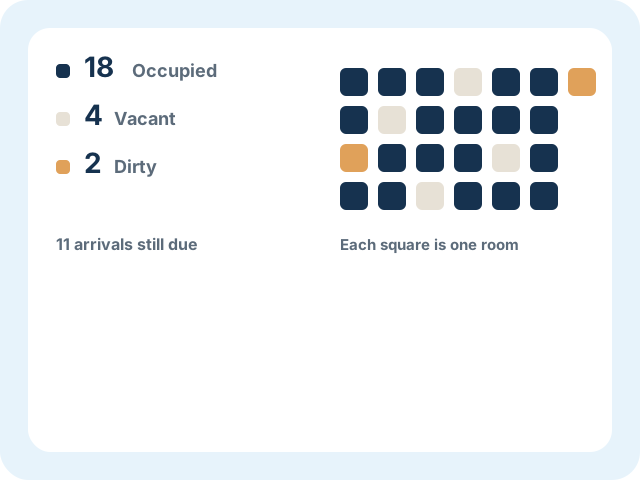
Example dashboard with occupied, vacant, and dirty rooms

Room status

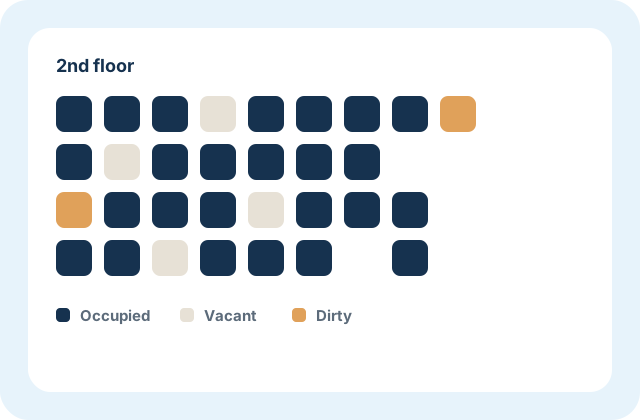
Every room is occupied, vacant, or dirty. The counts sit at the top. The grid is the same house, one square per room, so a manager can read the floor without opening each room.

Example room grid marked occupied, vacant, or dirty
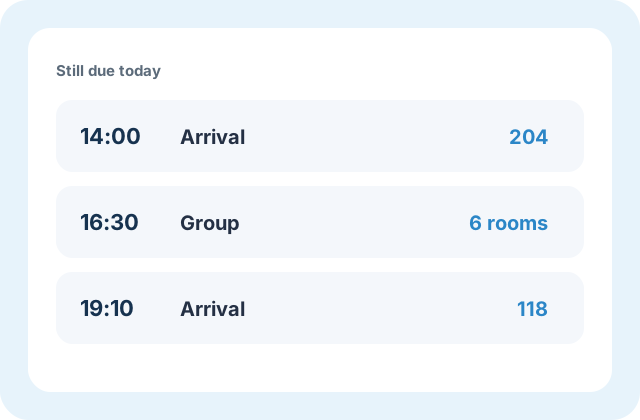
Example arrivals still due, including one group

Arrivals

Arrivals still due sit beside the room status. A single guest and a group are on the same list, with the time and the room, before anyone reaches the counter.

In-house report

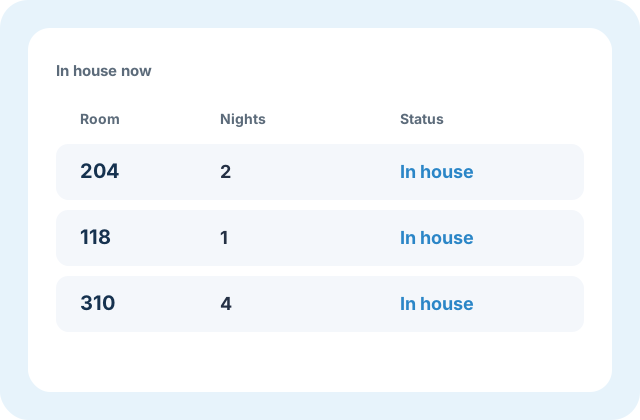
Guests already in the house are listed with their room and how many nights they have stayed. Occupancy is readable here without calling the desk.

Example in-house list with room and nights

Also in Stay

The screens that follow the dashboard through a guest’s visit.

Hotel reception desk
At the desk

Questions about Dashboard

What the first screen shows, and who opens it.

It shows room status, quick links, a grid of every room, and the in-house detail report for guests currently in house.

FrontDesk mark

Request a demo

Hotel name, city, and a room count are enough to start.